Telenor
- UX
- Web
- Roles and deliverables
- UX lead, UX research, Prototyping (Blueprint / Mitt Företag Labs), Responsive self-service portal

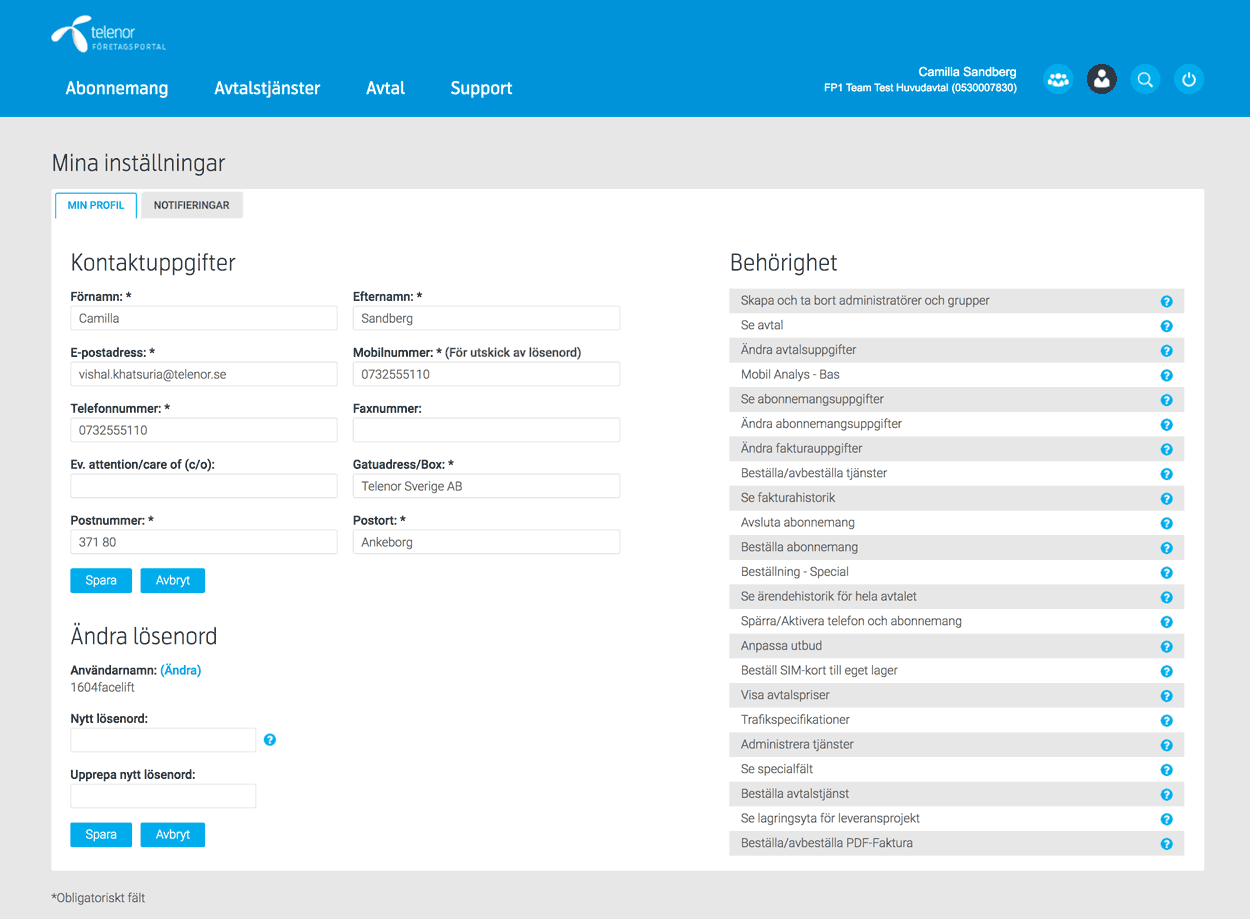
The task was to transform Telenor’s self service. To replace their 14 different self service systems and portals with one customer focused and responsive. This is how “Mitt Företag” was created.
Creative team
| Andreas Carlsson | UX Lead |
|---|---|
| Sebastian Carlsson | Visual design |
| Erik Nielsen | UX Designer |
| Emilia Persson | UX writer |
| Pontus Olofsson | Front-end |
| Jon Torvaldsson | Product owner |
Research
-
User interviews
7 clients, 11 internal stakeholders – customer service agents, HK, end users (administrators) from small and large clients (20 employees to 15 000+)

-
Brand innovation project
52 interviews: 11 users and 41 decision makers
-
Quantitative data gathering
Customer service agents from Large, Medium and Small customers. Issues reported by users and customers.
-
Enduser feedback form
Displayed for user logged in to Mitt Företag. 500+ answers
Insights
The research phase made us see the main user needs and we could easy identify the two main user types.
Common for all types of customers was that they all needed;
- More user friendly overview and handling of employees and their subscriptions
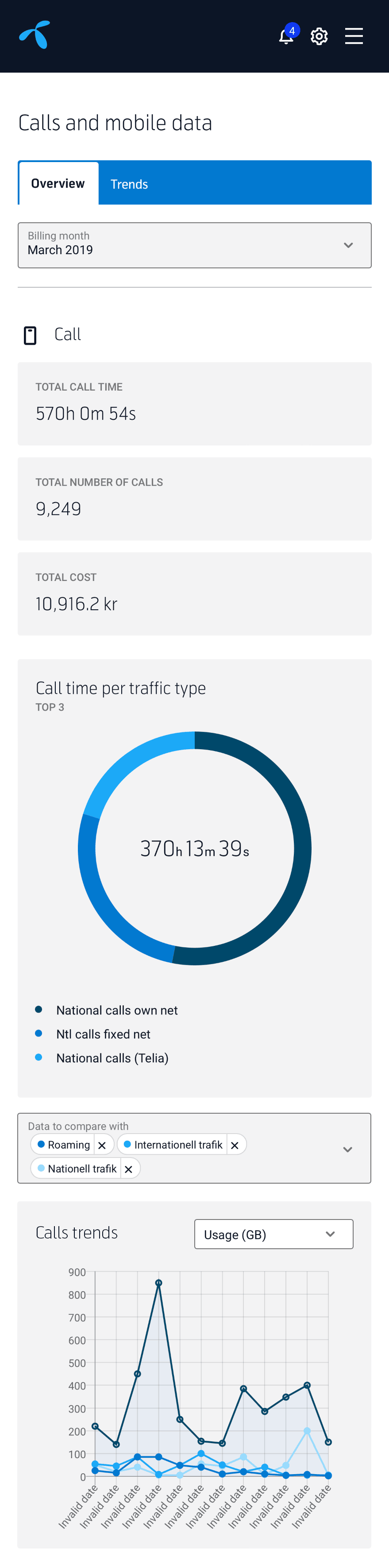
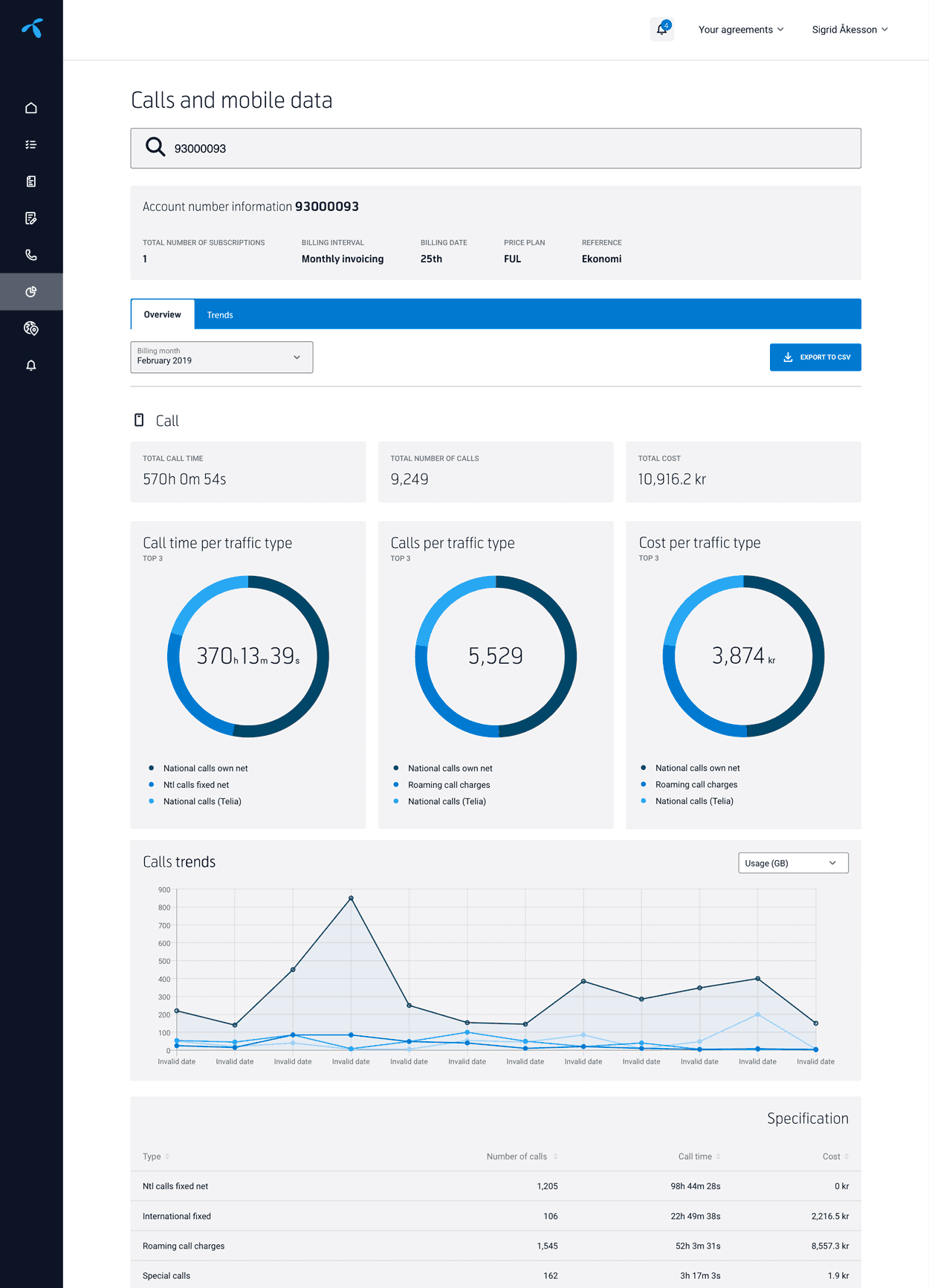
- Better usage and cost analytics and statistics
- Better experience of transparency and trust
- Automated and more efficient management so they can spend less time managing subscriptions and more time on other revenue generating tasks.
User types
"Casual Friday"
This is the person in a small to medium sized company with 1–50 phone subscriptions. The user mostly have other responsibilities within the company and handling phone subscription are just a part time responsibility.
The person is rarely logged in, perhaps once a month.
Prefers to use their smartphone when using Mitt Företag.

Needs
- Change name on subscription
- See all subscriptions and employees
- Order and terminate subscriptions
- Order new or replacement SIM-card
- Change data plans
- Purchase phones
"24/7"
This is the super administrator in a large organisation (500–50.000 phone subscriptions). The user often has a few sub-administrators that gets delegated certain tasks.
Logged in daily, quite often several hours per day.
Are using Mitt Företag exclusively on a laptop or large screen.

Needs
- Change multiple users and subscriptions at once
- Easier ordering and termination of subscriptions
- Realtime statistics: usage and costs
- Better invoice overview
- Change name and cost-place on subscription
- Purchase phones and other hardware
Preaching the UX gospel
Having the creative team members collaborate and sit-in with the different tech-teams was the key to joint understanding of goals and purposes.
Telenor had a very large system fauna, a lot of young, teenage and grandad aged platforms that technically were hard, next to impossible, to integrate with and get the data we needed from.
On top of that a lot of the teams owning the platforms were unexperienced in working with UX and user centered design.
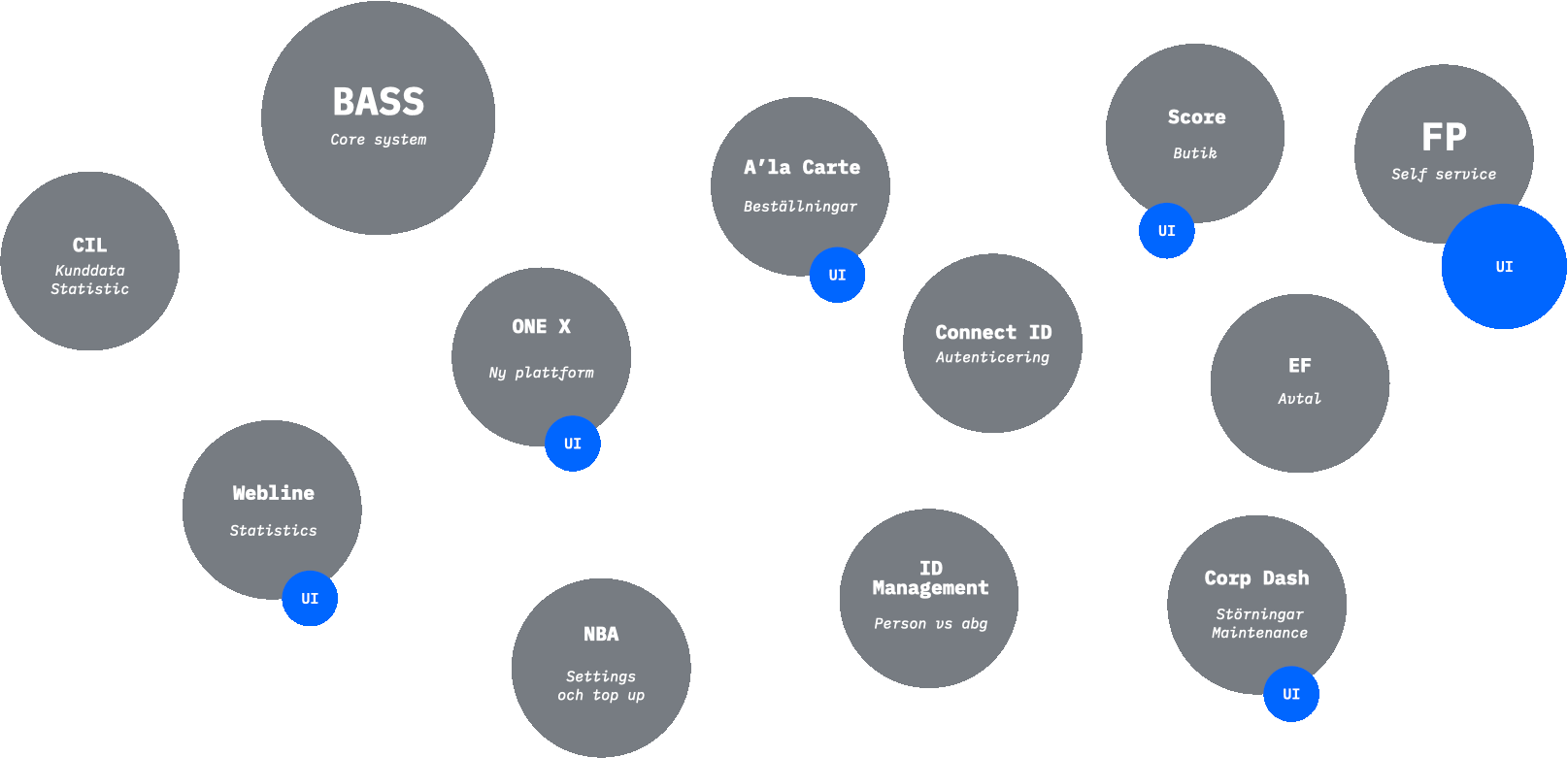
To create a better understanding of why we all had to work together we often split the creative team up and spent a few weeks, sometimes even several months, sitting in with the teams. Together we sketched, prototyped and developed interfaces and APIs based on the clients needs.
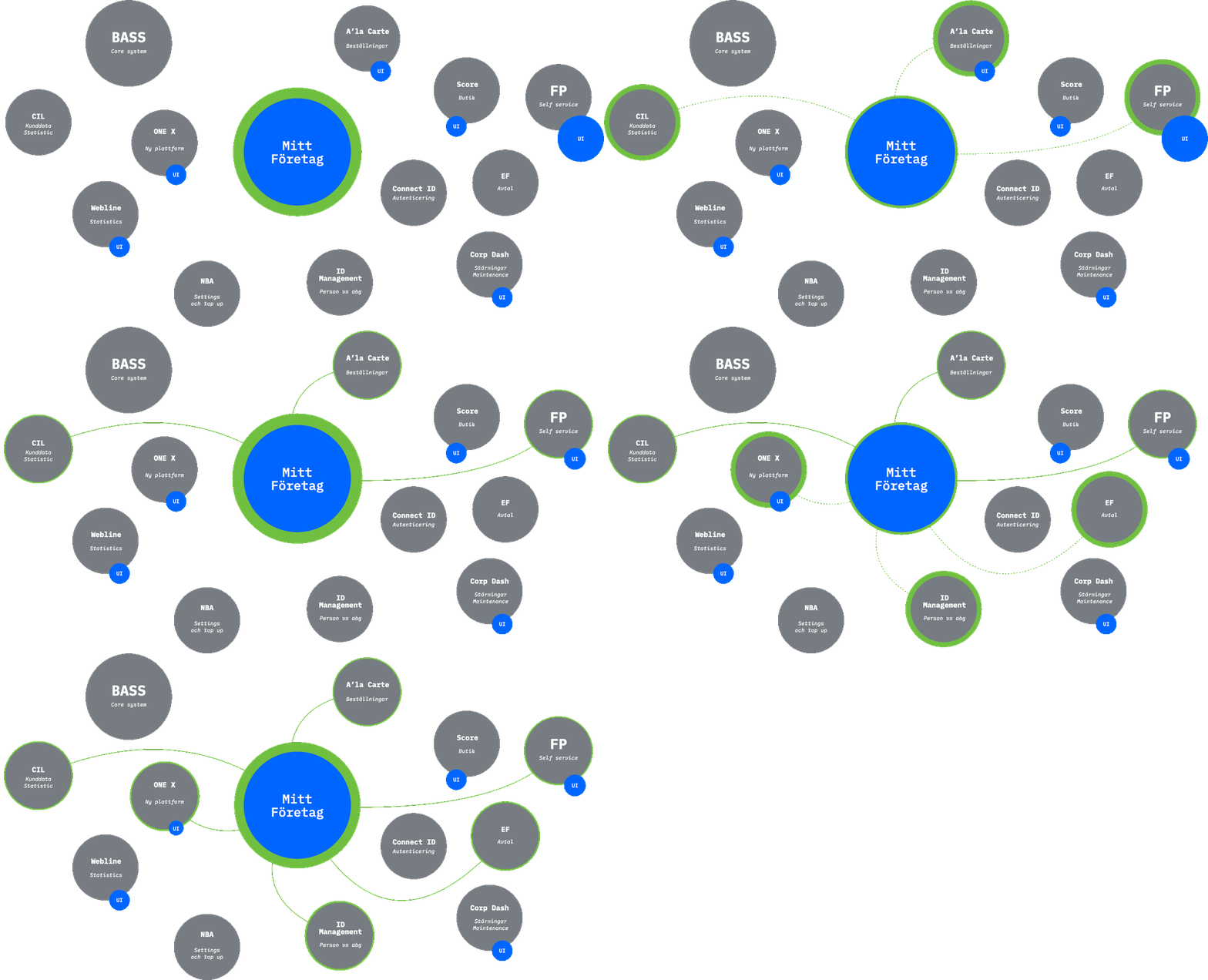
As a bonus the tech-teams became UX-gatekeepers of their own platforms. We often noticed that they reached out to us when they made changes and further development in the platforms.
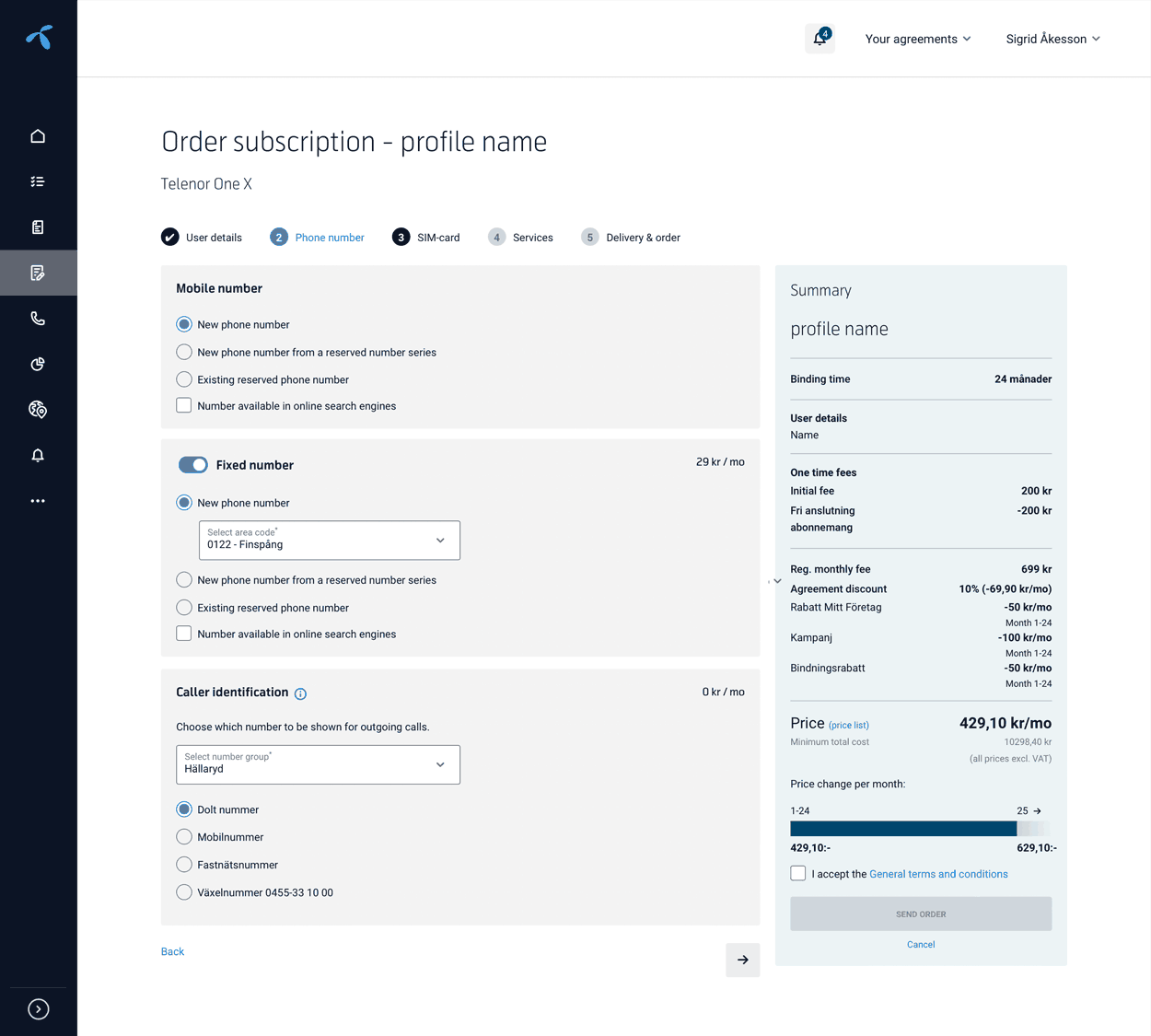
Some examples of features developed this way was: "Order subscription", "Real time statistics", "Bulk management" and the "Invoice" section. See below.
Prototyping on steroids
The way-of-work we created at Telenor was quite different from normal prototyping. It is built upon the Blueprint framework that I have been the creator of.
In short Blueprint is both a way of thinking about product development but also a set of tools and frameworks that helps speeding up product development: frontend components, page templates, a prototype and a styleguide.
Upon Blueprint we created Mitt Företag Labs. It was accessible both internally and for the end-users. Labs was the master for all UX and development we did for Mitt Företag.
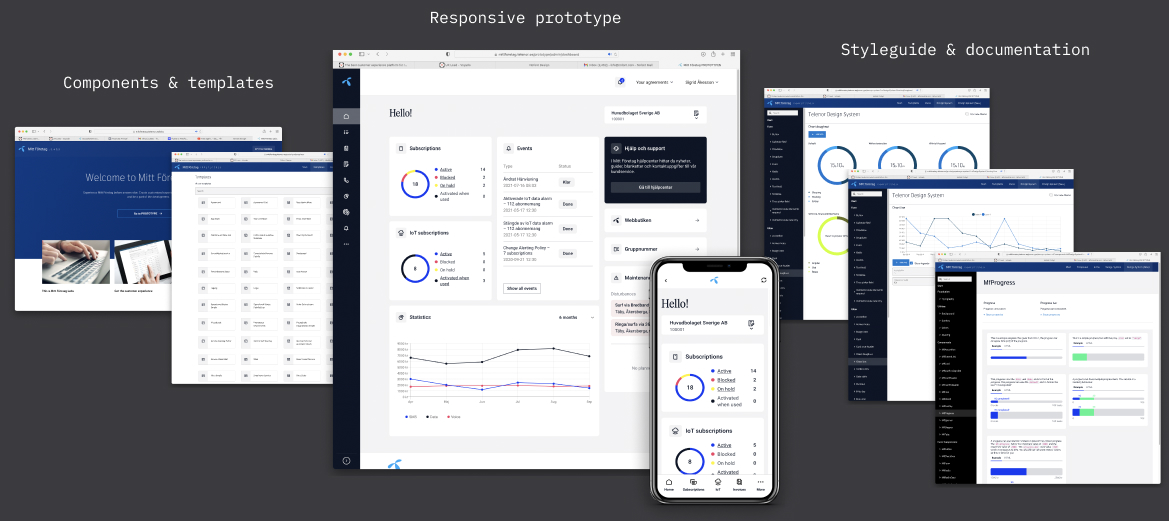
The strength of Labs was that it was accessible both internally and externally which enabled us to use it for a variety of tasks. It contained the codebase for Mitt Företag so every backend- and frontend-developer pulled local branches from it.
Since it contained the responsive prototype of Mitt Företag we could also use it for customer demos, internal and external testing, UX research, feature development and internal education.
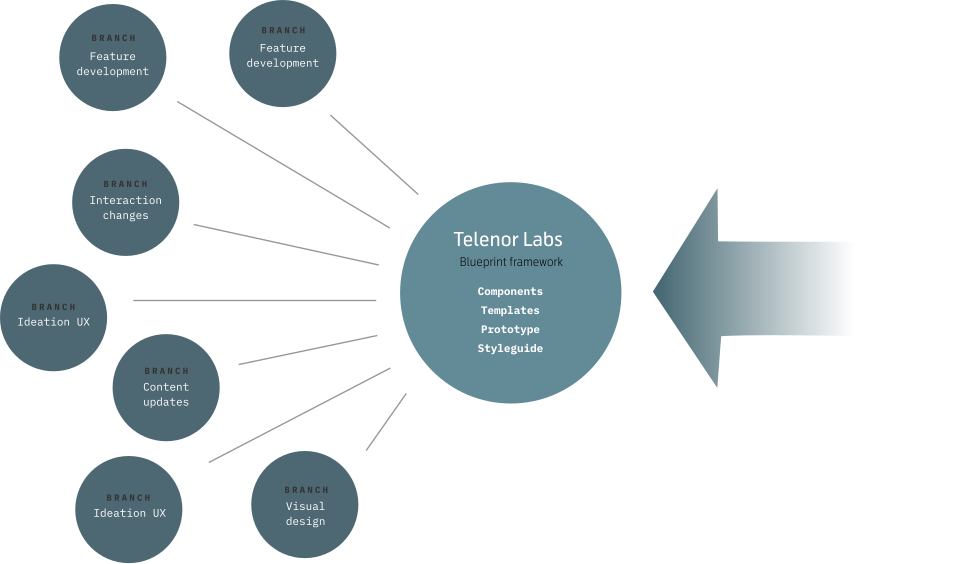
Always starting at the prototype we created a pair-design method where every step included a frontend-developer. So no matter if it was a new feature UX and designers could hand sketch it or draft it in Figma, then a frontend-developer quickly mocked up the functionality with production ready components but no actual back end.
Final product
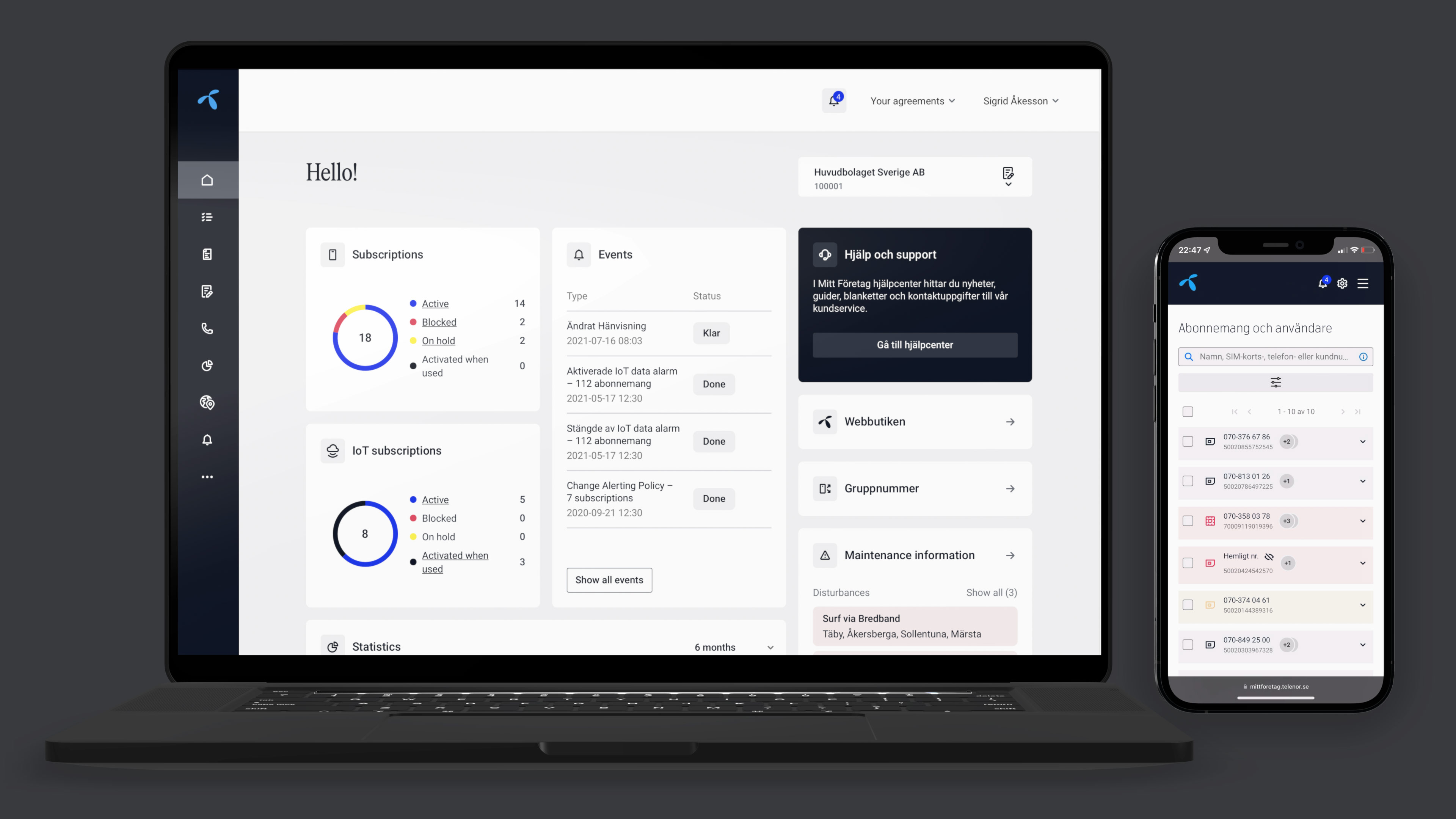
Here are a few examples of the solutions designed for the main user needs
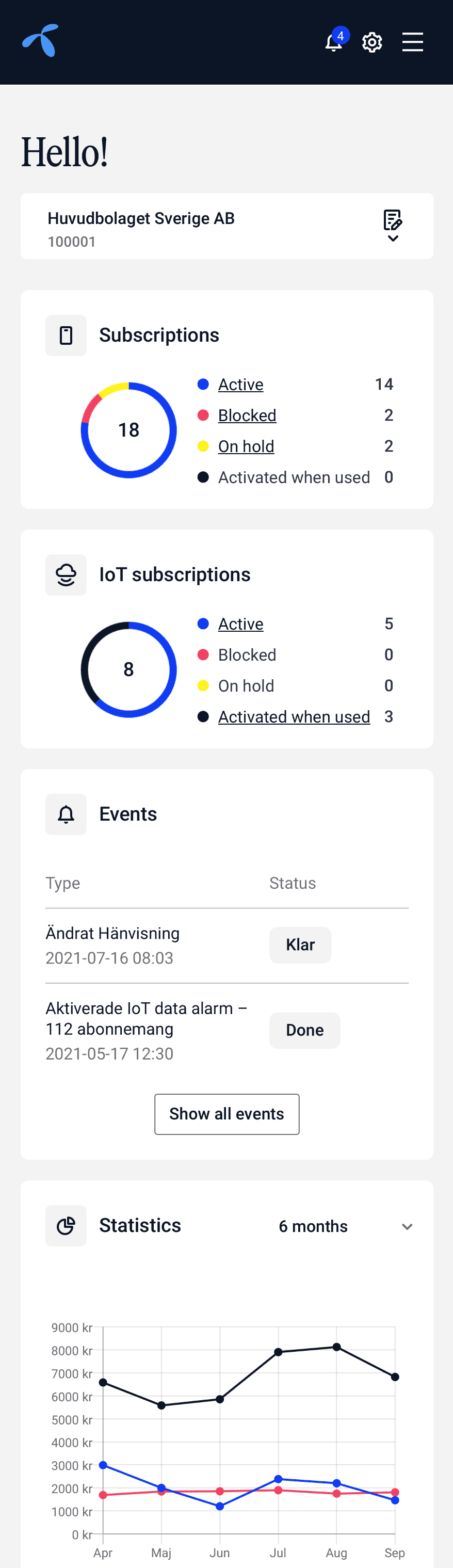
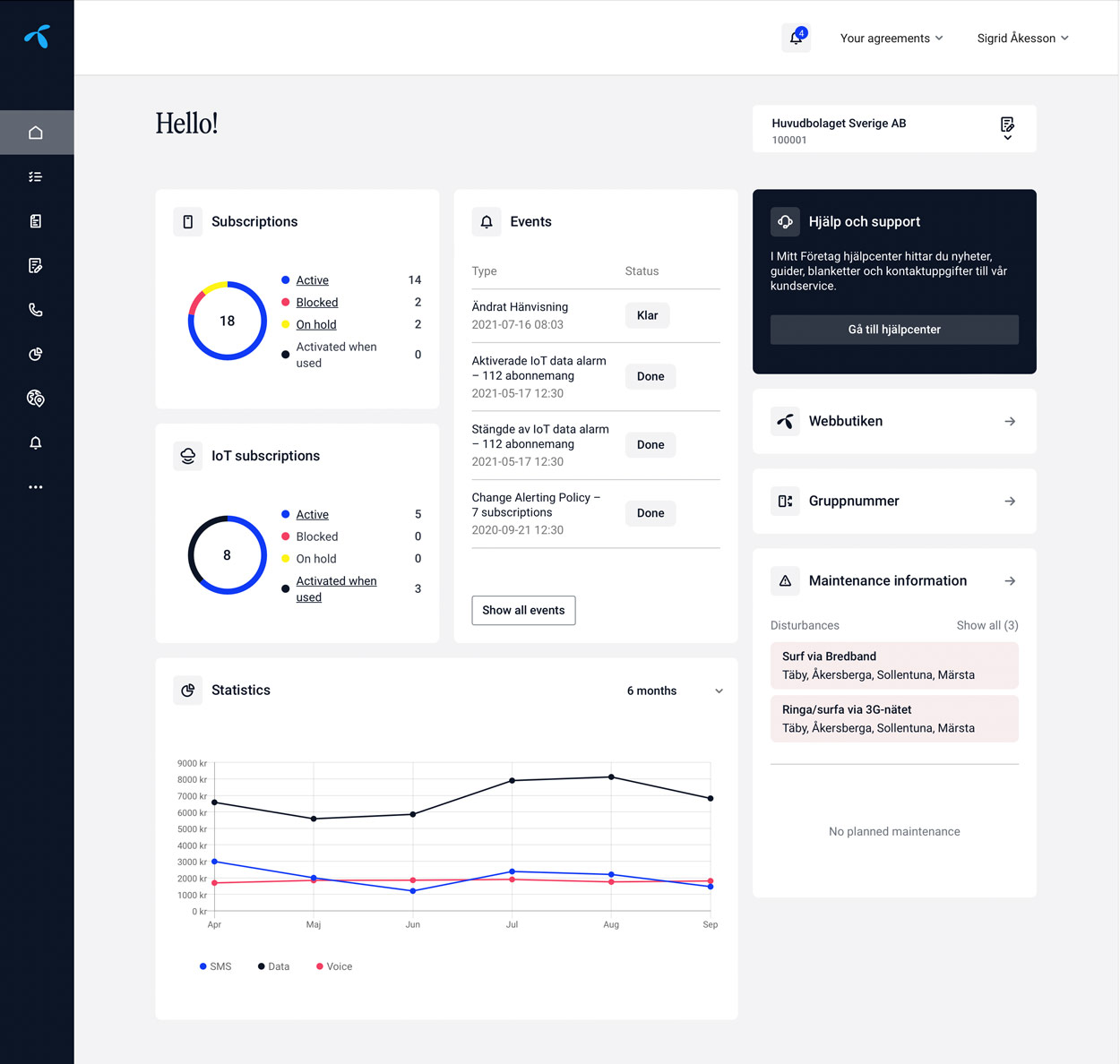
Startpage
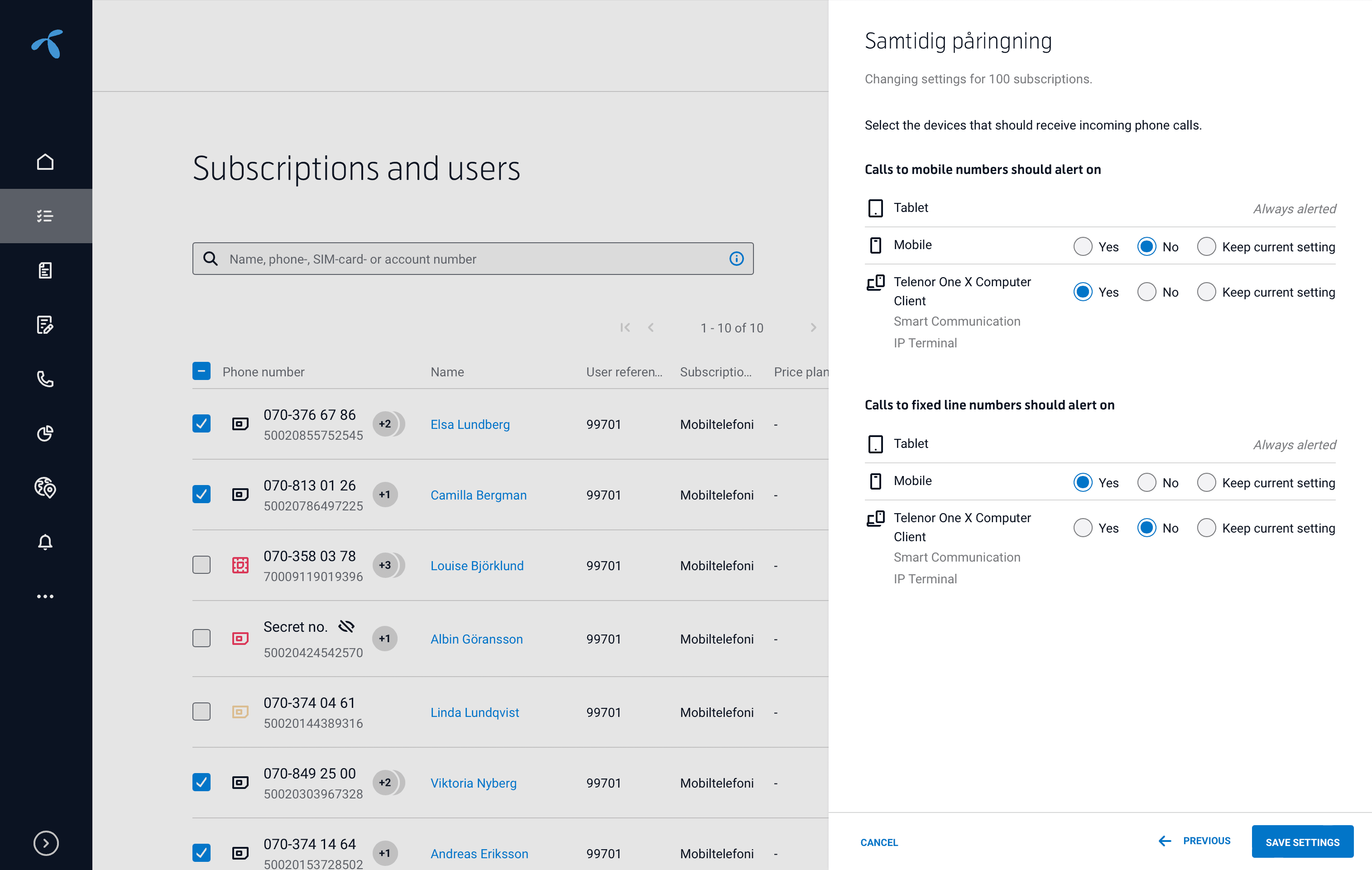
Bulk management – change settings for multiple subscriptions at once
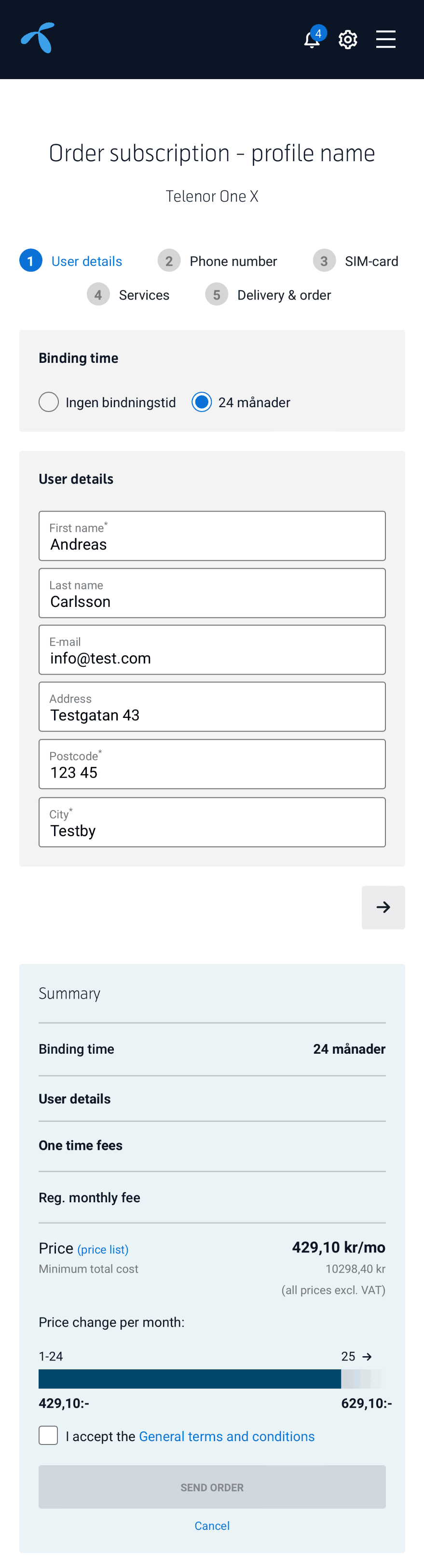
Order subscriptions
Real time statistics for usage and costs
Before